RBAC Overview
Open Mercato enforces access control through a two-layer RBAC system: role assignments scoped to organizations/tenants and feature flags that gate specific capabilities. Modules describe the features they expose, and runtime metadata or services evaluate whether a request is allowed.
- Roles bundle feature strings. Users inherit role features per organization/tenant.
- User overrides (per-tenant) add or revoke individual feature strings without changing roles.
- Super admin flag grants all features globally.
- Organization visibility list optionally narrows which organizations a user can act on, even if the feature check passes.
Declaring Features in Modules
Every module must list the features it exposes in src/modules/<module>/acl.ts (or the package equivalent). Export a features array with strings following the <module>.<action> convention:
export const features = [
  'auth.users.view',
  'auth.users.create',
  'auth.users.edit',
  'auth.users.delete',
];
The generators collect these declarations into modules.generated.ts, making them available to admin UIs and DI services. Avoid introducing features dynamically at runtime—keep the list static so tooling can reason about permissions.
Using Feature Guards in Metadata
Pages, layouts, and API handlers can declare access requirements through colocated metadata files (page.meta.ts, <route>.meta.ts, etc.) or by exporting metadata directly:
import type { PageMetadata } from '@open-mercato/shared/modules/registry';

export const metadata: PageMetadata = {
  requireAuth: true,
  requireRoles: ['admin'],
  requireFeatures: ['auth.users.edit'],
};
requireAuthblocks anonymous access.requireRoleschecks membership in any of the listed roles within the organization.requireFeaturesensures the caller has every listed feature through roles or user-level grants.
Metadata-driven enforcement keeps module pages independent and discoverable by the auto-generated registry.
Server-Side Checks in Handlers
When you need conditional logic beyond declarative metadata—such as enabling certain operations on a page—you can use the DI-provided RBAC service. Inject it through handlers or controllers via Awilix:
const canEdit = await rbacService.userHasAllFeatures(userId, ['auth.users.edit'], {
  tenantId,
  organizationId,
});
- Always pass
tenantIdandorganizationIdto respect multi-tenant boundaries. - Use
userHasAllFeaturesfor strict gates. PreferuserHasAnyFeature(if exposed) for "at least one" checks. - Combine RBAC checks with domain validation; denying access early avoids unnecessary database work.
Designing Features for Modules
Keep module features granular enough to capture real application actions:
- View / edit / create / delete patterns work for most CRUD screens.
- Add specific features for sensitive workflows (
billing.invoices.refund) instead of overloading broad ones. - If a module exports backend jobs or CLI commands, guard their execution with features to ensure parity with UI access.
When extending another module, declare additional features in your module's acl.ts. Features remain scoped to the defining module even if multiple modules contribute to the same UI flow.
Testing RBAC Behavior
Include feature-aware tests alongside APIs or pages:
- Seed or mock users with explicit features/roles.
- Verify that protected handlers return the expected authorization errors when features are missing.
- Confirm that super admin and feature overrides behave as intended.
Because RBAC relies on generated module metadata, run yarn modules:prepare whenever you add or remove features before executing tests or type checks.
Managing ACLs in the admin
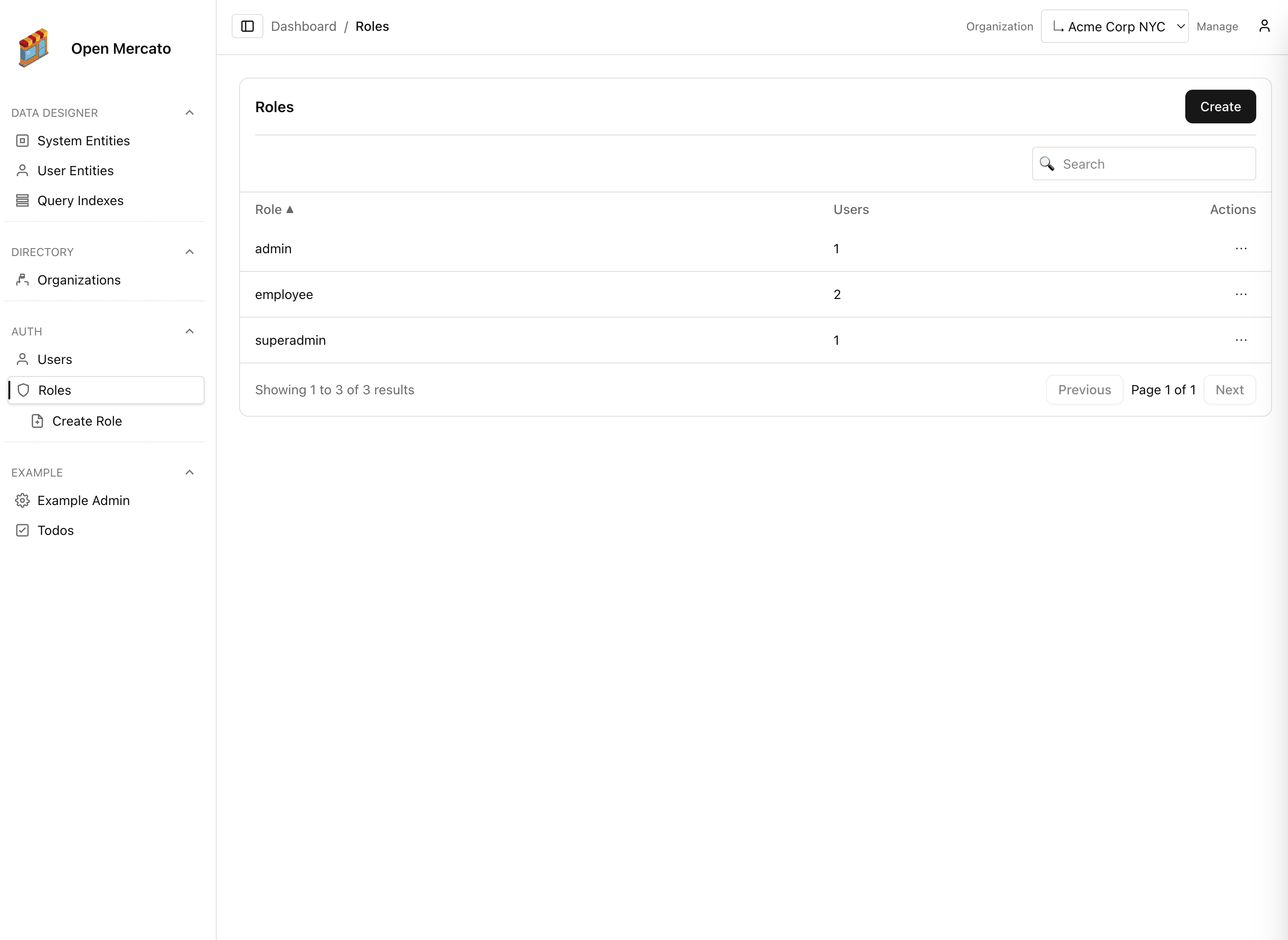
Roles aggregate feature flags. Administrators assign features per role in the Roles screen, then apply roles to many users at once.
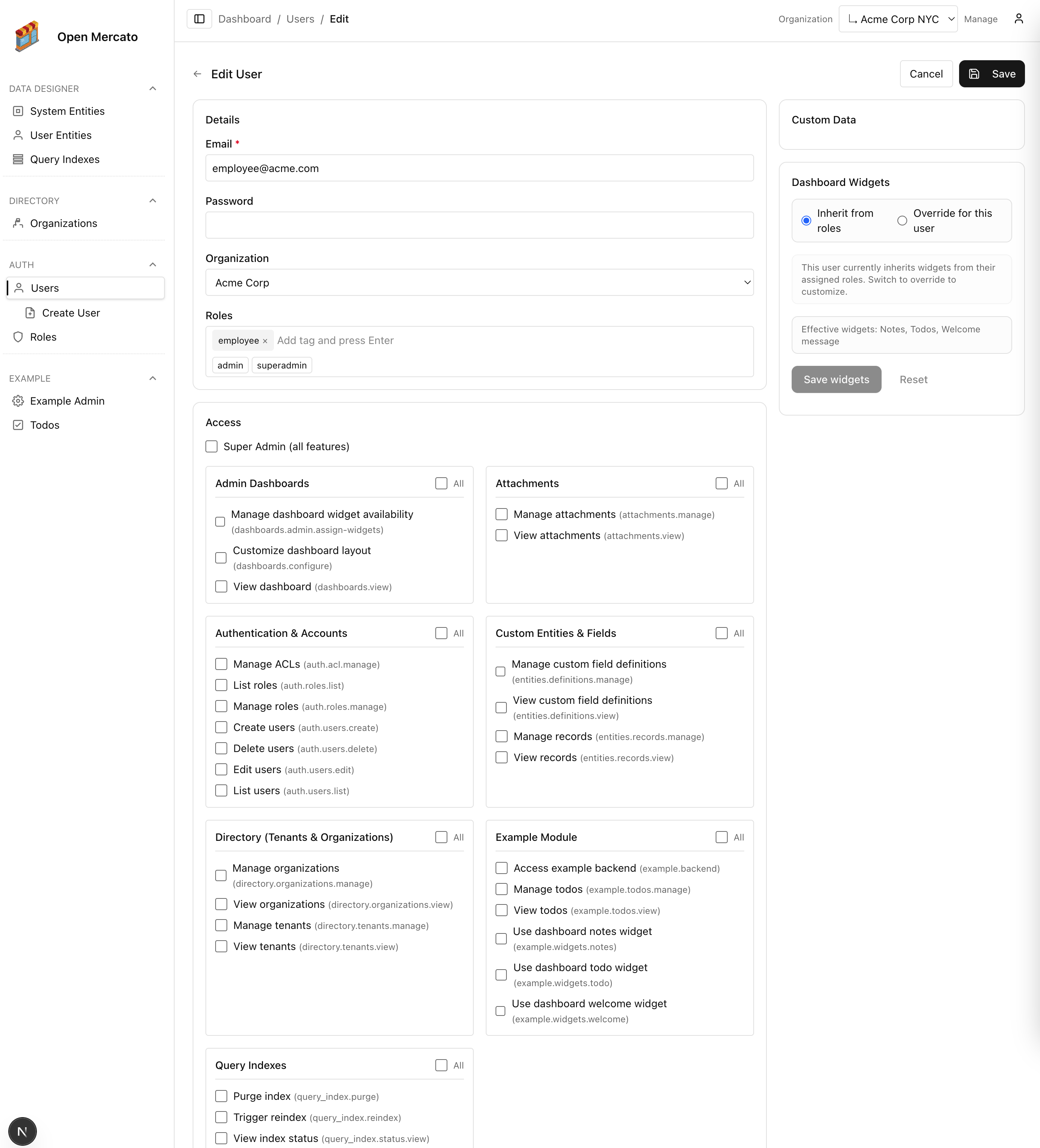
User-level overrides let you fine-tune access for individuals—grant additional features or revoke ones inherited from roles without creating more roles.