Step 1: Build your first Open Mercato app
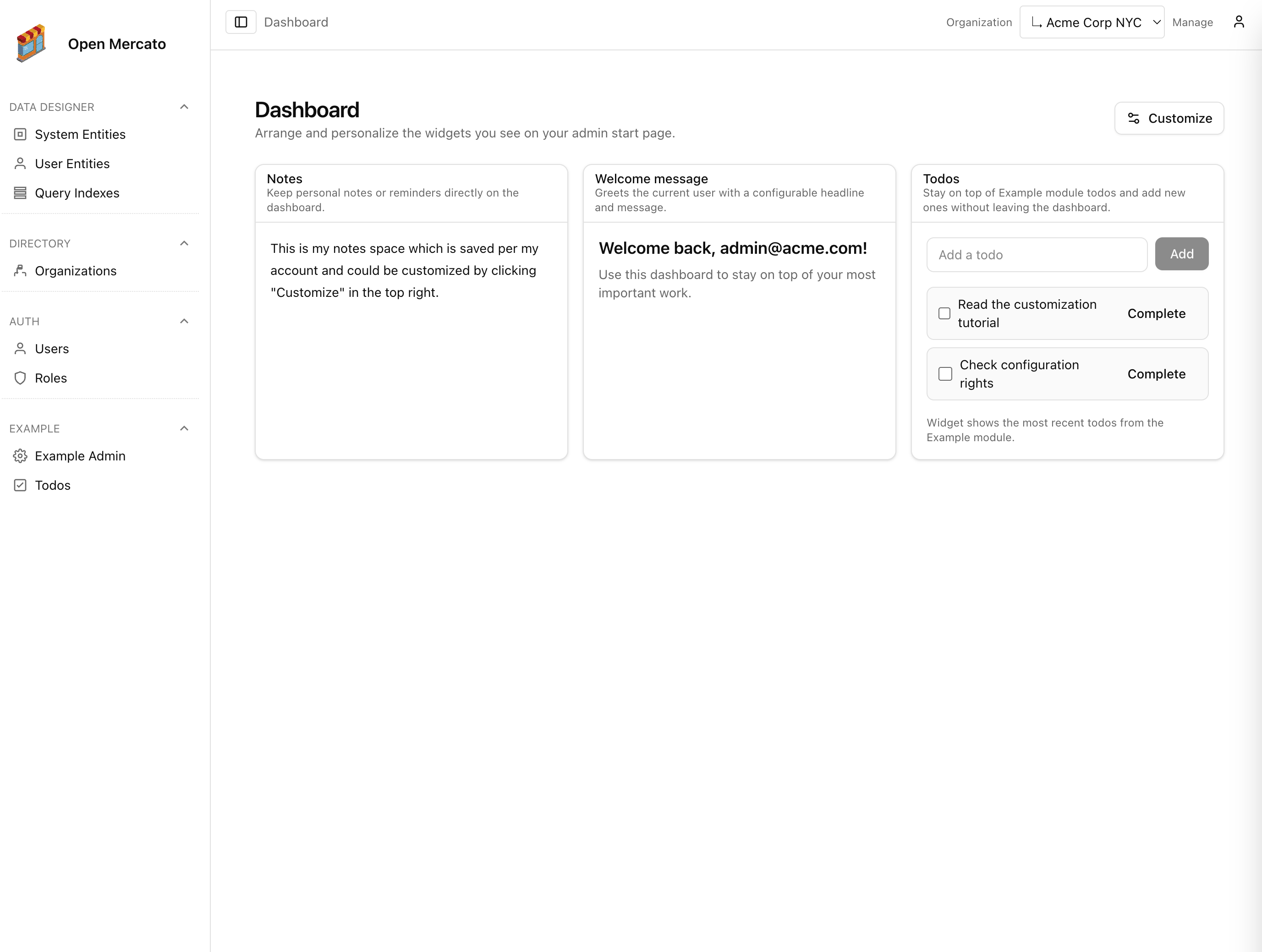
The starter project ships with a working admin experience under src/. It renders a dashboard, login screens, and the auto-discovered modules that come from the packages you enable.
Folder anatomy
src/app/page.tsx– public landing page shown before authentication.src/app/(auth)– authentication routes, including the login screen.src/app/(backend)/backend/layout.tsx– wraps every admin page with navigation, RBAC checks, and locale providers.src/app/(backend)/backend/[[...slug]]/page.tsx– catch-all backend router. It resolves requests to auto-discovered module pages, then falls back to files you place undersrc/modules/<module>/backend.src/app/(frontend)/[[...slug]]/page.tsx– same mechanism for customer-facing pages. Frontend routes come fromsrc/modules/<module>/frontend.src/modules– local overrides. Drop a folder matching a module id (for example,authorinventory) to replace pages, APIs, or entities from packaged modules.
The app boots with the core modules listed in src/modules.ts. Each entry points to a package and can be overridden by placing files under src/modules/<module>. When the CLI runs yarn modules:prepare, it scans enabled modules, merges overrides, and produces generated registries used by the runtime and admin UI.
Routing overlays
- Packages publish default pages inside
packages/<pkg>/src/modules/<module>/frontend|backend. - At build time, any file in
src/modules/<module>/<area>/<path>overrides the packaged version. - The catch-all routers under
src/app/(backend)andsrc/app/(frontend)read the generated registry and dispatch to the resolved React component.
Because everything flows through generated metadata, you can safely introduce new modules without touching the Next.js routers. For example, adding packages/inventory to modules.ts automatically exposes its backend pages at /backend/inventory/....
Module support files
Every module—core or custom—uses a consistent set of files:
index.tsexports metadata (id,title, description, version).acl.tsexports afeaturesarray used by RBAC.di.tsregisters services with the Awilix container.data/entities.tsdefines MikroORM entities. Optional extensions live beside them indata/extensions.ts.data/validators.tsstores zod schemas for create/update operations.backend/*andfrontend/*contain Next.js server components with optional*.meta.tsfiles.api/<method>/<path>.tsexposes API handlers. Each handler can include metadata for guards.
This tutorial will build on the stock app by adding an Inventory module. Before diving into module authoring, make sure you can run the shell commands below and see the admin dashboard running locally:
yarn install
yarn modules:prepare
yarn db:migrate
yarn dev
With the dev server running, log in using the seeded admin credentials. You are ready to customise the app.